Créez des applications Android natives sans écrire de code
Adalo est un outil de création d'applications sans code qui associe une génération assistée par IA à un canevas visuel multi-écrans, permettant ainsi aux entrepreneurs et aux équipes d'entreprise de concevoir, de développer et de publier des applications personnalisées basées sur des bases de données sur l'App Store d'Apple, le Google Play Store et le Web à partir d'un seul projet — sans code et sans avoir recours à des développeurs. Passez de l'idée à la soumission sur Google Play en quelques jours, et non en plusieurs mois — avec une utilisation illimitée sur les formules payantes.
PlayDash
Développeur ! 🤖
Nouveau : prise en charge de Material You
Thèmes dynamiques · Compatible avec Android 14

Créez toutes les applications Android que vous pouvez imaginer
Des applications de marketplace aux trackers d'activité physique : décrivez ce dont vous avez besoin et Ada, l'outil de création basé sur l'IA d'Adalo, génère en quelques minutes une application Android fonctionnelle grâce à Magic Start.
De l'idée à Google Play —sans les obstacles habituels
Jusqu'à présent, la création d'une application Android exigeait des compétences techniques pointues, des mois de travail et un budget conséquent. Adalo élimine complètement ces obstacles.
Le problème du développement Android
- Le développement Android classique nécessite des connaissances en Kotlin ou en Java, ainsi qu'une bonne maîtrise d'Android Studio
- Les applications Android sur mesure coûtent entre 50 000 et 150 000 dollars et leur développement prend au minimum trois à six mois
- La fragmentation d'Android implique de réaliser des tests sur des milliers d'appareils, de tailles d'écran et de versions du système d'exploitation
- La mise en place des pipelines de compilation, la signature des certificats et la configuration de Gradle constituent un projet à part entière
- Le fait de gérer des bases de code distinctes pour Android, iOS et le Web multiplie les coûts et la complexité
- La soumission sur Google Play nécessite la gestion des métadonnées, des captures d'écran, des politiques de confidentialité et des classifications de contenu
La solution Adalo pour Android
- Créez vos applications sur une interface visuelle : pas besoin de Kotlin, de Java ni d'Android Studio
- Adalo génère de véritables versions natives pour Android (fichiers APK), et non des applications web ou des PWA
- Une seule version fonctionne sur les appareils Samsung, Pixel, OnePlus, Xiaomi et des milliers d'autres appareils Android
- Accès gratuit avec utilisation illimitée dans le cadre des formules payantes : aucune limite en termes d'actions, d'utilisateurs, d'enregistrements ou de stockage
- Développez une seule fois, puis déployez sur Android, iOS et le Web à partir du même projet
- La soumission en un clic sur Google Play gère le processus de compilation, ce qui vous permet de vous concentrer sur votre application
Tout ce dont vous avez besoin pour développer et publier des applications Android
Conçu pour les créateurs d'entreprise, les équipes et les entreprises qui souhaitent proposer des applications Android natives sur Google Play, sans avoir à recruter de développeurs Android ni à apprendre le Kotlin.
Versions Android véritablement natives
Adalo génère de véritables fichiers APK compilés pour Android, et non des applications web ou des PWA. Votre application fonctionne en mode natif sur les appareils Android et bénéficie d'un accès complet aux fonctionnalités de l'appareil, notamment les notifications push, l'appareil photo, le GPS et l'authentification biométrique.
Publication sur Google Play en un clic
Publiez directement sur le Google Play Store depuis Adalo. Le pipeline de compilation se charge de la génération, de la signature et du packaging de l'APK. Vous vous occupez de la fiche de votre application (captures d'écran, description et politique de confidentialité), tandis qu'Adalo se charge de la compilation technique.
Une interface visuelle adaptée à tous les écrans
Visualisez tous les écrans de votre application simultanément sur un seul canevas. Faites glisser, redimensionnez et reliez les écrans de manière visuelle, plutôt que de naviguer page par page dans un éditeur. C'est ce qui fait d'Adalo un créateur d'applications sans code doté d'un canevas multi-écrans véritablement visuel : l'application entière est visible et modifiable d'un seul coup d'œil.
Ada, l'outil de création basé sur l'IA d'Adalo
Décrivez votre application Android et Ada la génère en quelques minutes grâce à Magic Start : écrans, base de données et navigation. Utilisez Magic Add pour ajouter des fonctionnalités en langage naturel, et X-Ray pour identifier les problèmes de performances avant la publication.
Base de données relationnelle intégrée
Aucune configuration de Firebase ou Supabase n'est nécessaire. Adalo intègre une base de données relationnelle offrant des opérations CRUD complètes, l'authentification des utilisateurs et des autorisations basées sur les rôles. Votre modèle de données est prêt dès le premier jour ; il ne s'agit pas d'un projet d'infrastructure distinct.
Aperçu sur n'importe quel appareil
Prévisualisez votre application Android sur n'importe quel type d'appareil pendant la compilation. Découvrez exactement son apparence et son comportement sur les téléphones et les tablettes avant de la publier sur Google Play. Pas besoin de configurer un émulateur ni de recourir au débogage USB : il suffit de cliquer pour prévisualiser.
Votre application, fonctionnant en mode natif sur Android
Adalo compile votre application en une véritable version native Android qui fonctionne sur tous les appareils Android, des téléphones d'entrée de gamme aux modèles haut de gamme tels que les Samsung Galaxy et les Google Pixel. Vos utilisateurs la téléchargent depuis le Google Play Store et l'utilisent comme n'importe quelle autre application Android : elle intègre les principes du Material Design, des composants natifs et une intégration complète avec l'appareil. Quel que soit le modèle de téléphone Android de vos utilisateurs, votre application Adalo s'adapte automatiquement.
Suivi de projet
Suivi de projet
Gestion des tâches et de l'équipe
FitTrack
Bracelet connecté
Entraînements et données de santé
Place de marché
Place de marché
Acheter et vendre grâce aux annonces
FoodDash
Livraison de repas
Menus, commandes et suivi
Fonctionnalités Android natives intégrées
Chaque application Android Adalo intègre des fonctionnalités propres à l'appareil que les applications Web et les PWA ne peuvent tout simplement pas offrir.
Créé et publié avec Adalo
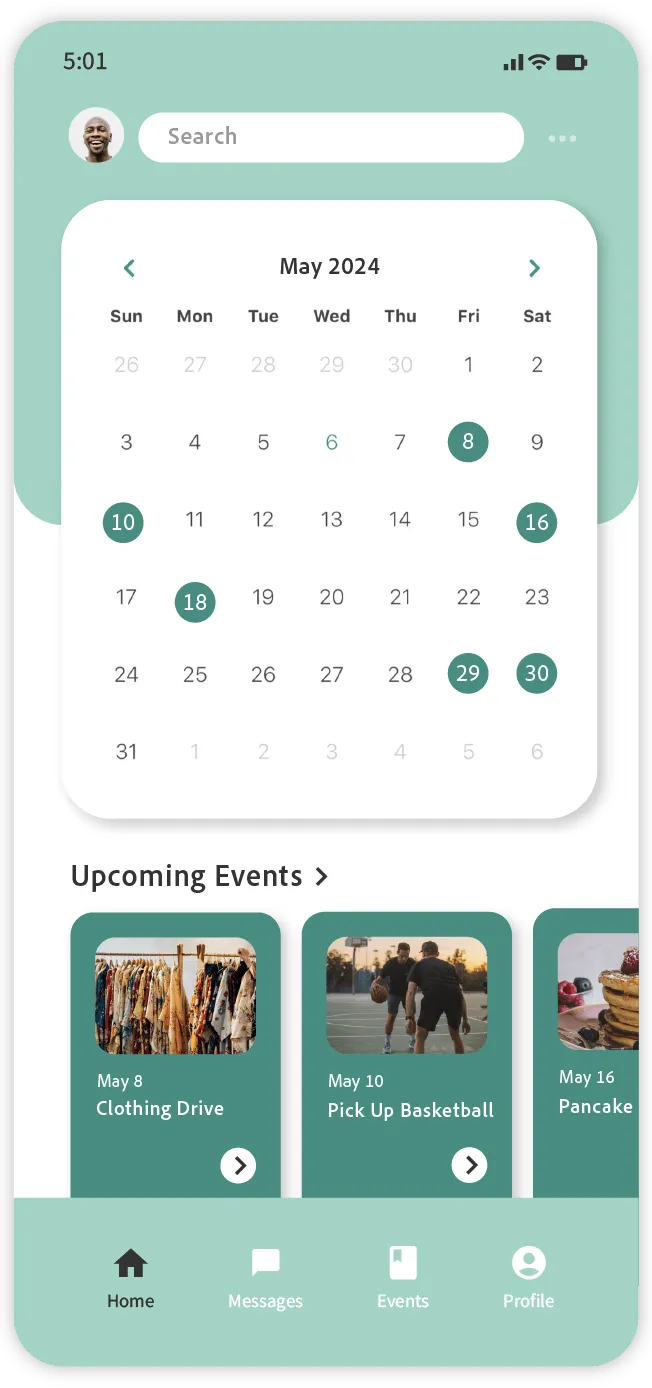
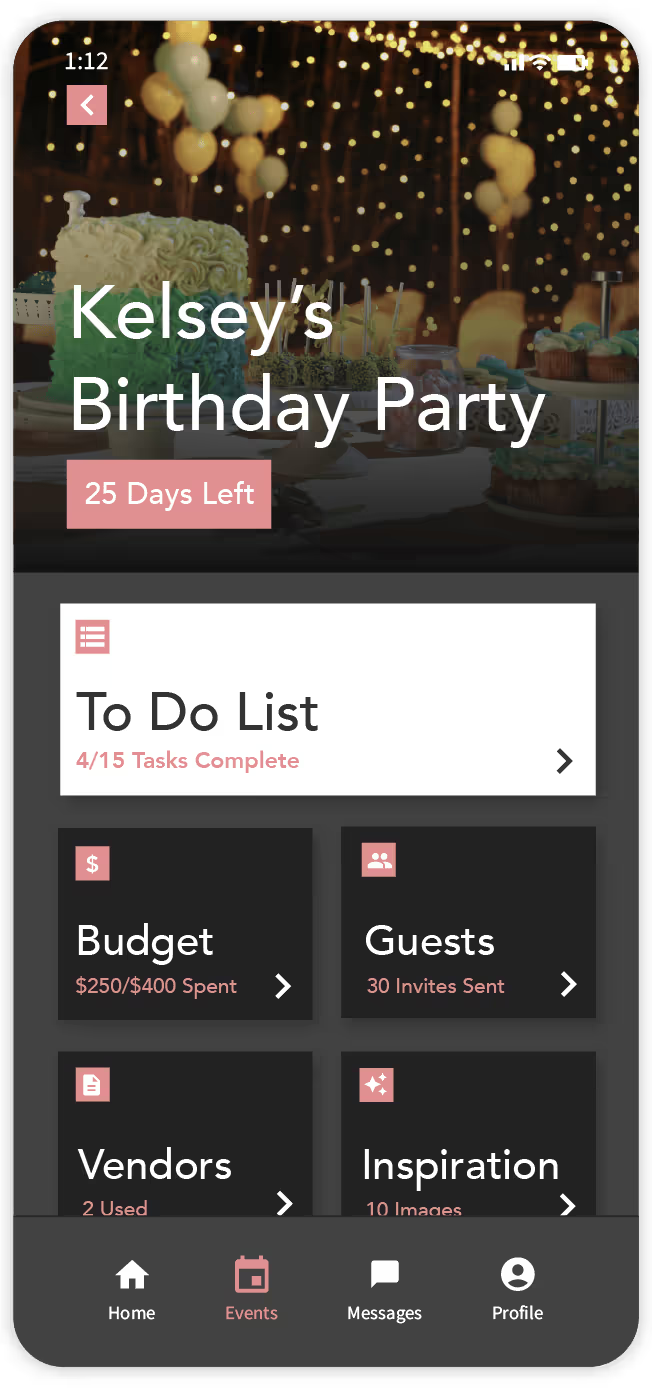
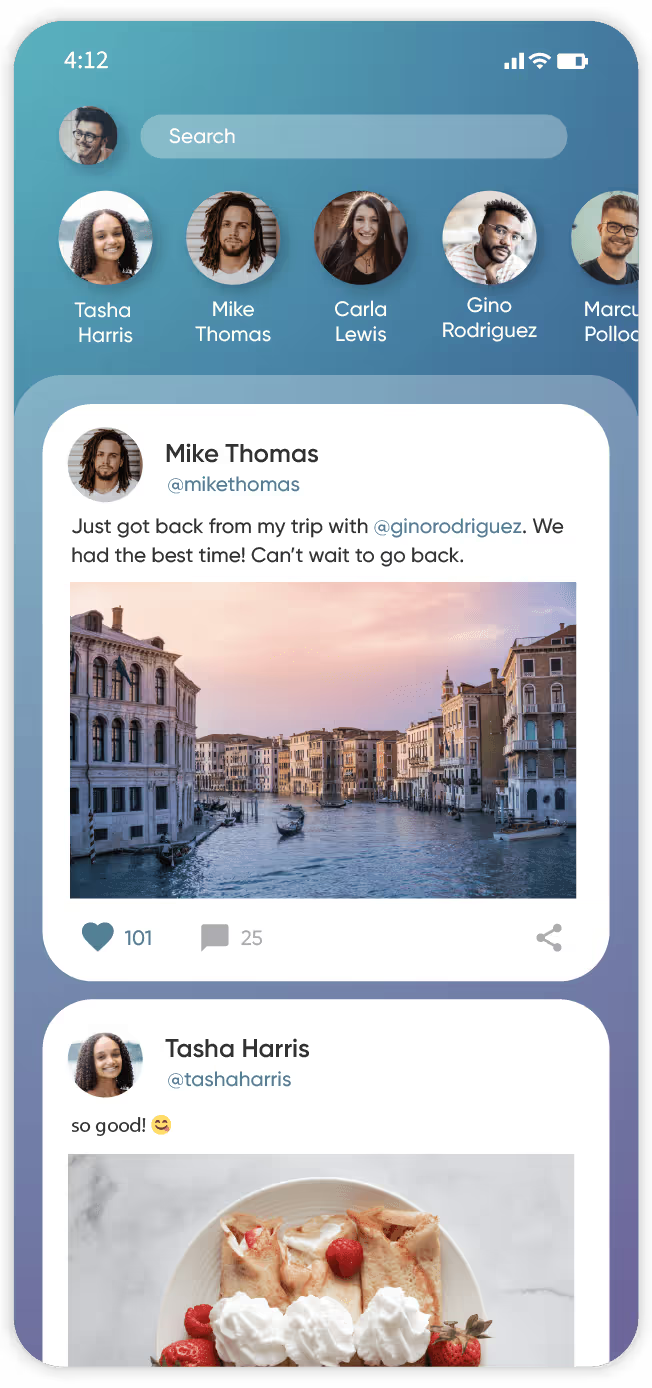
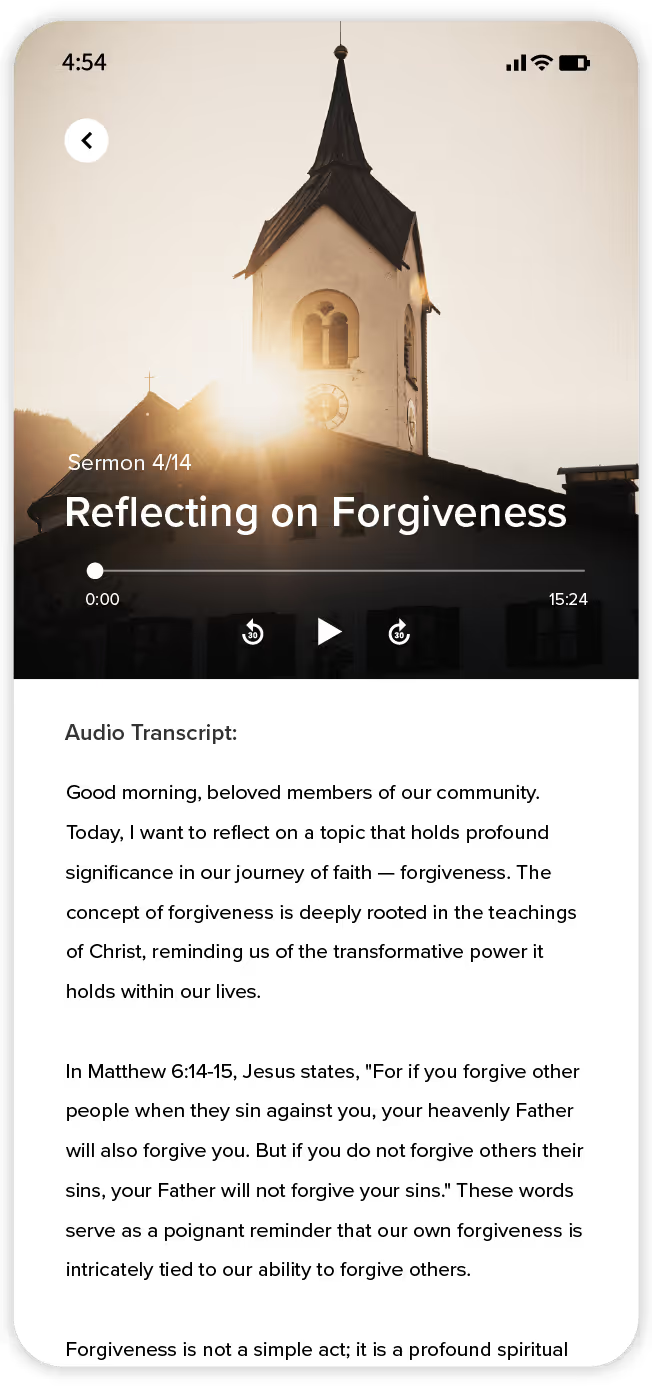
De véritables applications fonctionnant sur de véritables appareils Android, créées à partir du canevas visuel d'Adalo.
De la description à Google Play en cinq étapes
L'infrastructure d'Adalo 3.0 (lancée fin 2025) est 3 à 4 fois plus rapide et peut prendre en charge plus d'un million d'utilisateurs actifs par mois. Voici comment créer votre application Android à l'aide de cette infrastructure.
Décrivez votre application à Ada
Dites à Ada, l'outil de création basé sur l'IA d'Adalo, ce que votre application Android doit faire. Magic Start génère une application complète avec des écrans, une navigation et une structure de base de données, généralement en moins de deux minutes.
Personnaliser dans le canevas visuel
Visualisez simultanément tous les écrans de votre application Android sur le canevas. Pointez simplement sur les éléments pour demander à Ada d'ajuster les mises en page, d'ajouter des composants et de réorganiser les flux. Ajoutez des fonctionnalités avec Magic Add en utilisant le langage naturel, sans passer par les panneaux de propriétés ni les arborescences de widgets.
Configurez votre base de données
La base de données relationnelle intégrée d'Adalo gère les utilisateurs, les enregistrements, les relations et les autorisations. Pas besoin de créer un projet Firebase, de configurer Supabase ni d'effectuer des migrations SQL. Si vous migrez depuis des feuilles de calcul, SheetBridge vous permet d'importer des données depuis Google Sheets directement dans la base de données d'Adalo.
Aperçu sur les appareils Android
Prévisualisez votre application sur n'importe quel type d'appareil Android directement depuis le canevas. Testez l'intégralité du parcours utilisateur sur téléphone, tablette et différentes tailles d'écran avant de valider la version finale. Aucune installation d'émulateur ni de câble USB n'est nécessaire.
Publier sur Google Play
Publiez votre application Android sur le Google Play Store en un seul clic. Adalo génère le fichier APK, se charge de la signature du code et prépare votre application pour la publication. Les processus de validation sur Google Play sont généralement plus rapides que ceux d'Apple : cela prend souvent entre quelques heures et quelques jours. Votre application est également déployée sur iOS et sur le Web à partir de la même version si vous avez besoin des trois plateformes.
Comment Adalo publie votre application sur Google Play
Pas besoin d'Android Studio. Pas besoin de builds Gradle. Finis les casse-tête liés à la signature du code. Adalo se charge du pipeline de compilation native : il vous suffit de télécharger votre icône, vos captures d'écran et vos métadonnées.
Google Play
- Version APK native — il ne s'agit ni d'une application web ni d'une PWA
- Adalo se charge de la signature du code et du packaging
- Inscription unique de 25 $ pour les développeurs
- Le délai de traitement est généralement de quelques heures à quelques jours
App Store d'Apple
- Version IPA native générée à partir du même projet Adalo
- Un compte développeur Apple est requis (99 $ par an)
- Le délai de traitement est généralement de 24 à 48 heures
- Même application, même base de données, même logique
Application Web
- Se déploie automatiquement sous forme d'application web adaptative
- Partager via l'URL — aucune inscription sur la boutique n'est nécessaire
- Même version, mêmes données, mêmes comptes utilisateurs
- Fonctionnalités des applications web progressives incluses
Le chemin le plus rapide de l'idée à Google Play
Créez, prévisualisez et publiez des applications Android natives sans écrire une seule ligne de code.
Publication illimitée sur Google Play
Le prix le plus bas pour la publication d'applications Android natives avec une utilisation illimitée. Aucune limite en termes d'actions, d'utilisateurs, d'enregistrements ou de stockage. Comparez cela à FlutterFlow, à 80 $ par mois et par licence, ou à Thunkable, à 189 $ par mois pour la publication sur les boutiques d'applications.
Une version, trois plateformes
Développez une seule fois, puis déployez sur Android, iOS et le Web. Même base de données, même logique, mêmes écrans. Plus besoin de gérer des bases de code distinctes en Kotlin et Swift, ni de tripler votre budget de développement.
Finis les soucis liés à la fragmentation des appareils
Adalo prend en charge la grande diversité des appareils Android. Développez votre application une seule fois et elle fonctionnera sur les appareils Samsung, Pixel, OnePlus, Xiaomi et des milliers d'autres appareils Android sans qu'il soit nécessaire de procéder à des tests spécifiques à chaque appareil.
Livraison en quelques jours, pas en plusieurs mois
Passez de l'idée à la publication sur Google Play en quelques jours. Le développement Android classique prend au minimum 3 à 6 mois. Ada génère votre application de base en quelques minutes ; vous n'avez plus qu'à la personnaliser, la prévisualiser et la publier.
Comment se positionne Adalo dans le domaine de la création d'applications Android
Découvrez comment Adalo se positionne par rapport aux autres solutions de développement d'applications Android.
| Fonctionnalité | Adalo | FlutterFlow | Thunkable | Traditionnel (Kotlin) |
|---|---|---|---|---|
| Versions Android natives | ✅ Véritable fichier APK natif | ✅ Basé sur Flutter | ✅ React Native | ✅ Entièrement natif |
| Code requis | ✅ Aucun | Connaître le langage Dart, c'est utile | Aucune (mais limitée) | Kotlin/Java + Android Studio |
| Toile visuelle | ✅ Espace de travail multi-écrans | Arborescence des widgets + panneaux | Page par page | Mises en page XML (aspect visuel limité) |
| Création d'applications par l'IA | ✅ Ada (Magic Start) | ✅ Fonctionnalités d'IA | De base | ❌ Aucune intégrée |
| Base de données intégrée | ✅ Base de données relationnelle | ❌ Nécessite Firebase | ❌ Nécessite Airtable/Firebase | ❌ Configuration manuelle |
| Publication sur Google Play | ✅ En un clic | ✅ En un clic | En un clic (formule à 189 $/mois) | Guide via la Play Console |
| Prix de départ | ✅ Gratuit pour commencer | 80 $ par mois et par poste | 189 $/mois (pour la publication) | Gratuit (SDK) + investissement en temps |
| iOS et Web à partir d'une même version | ✅ Oui | Oui (site web distinct) | Oui (site web distinct) | ❌ Non |
Conseils pour créer d'excellentes applications Android
Des modèles qui permettent à votre application Android d'obtenir de bons résultats sur Google Play et de fidéliser vos utilisateurs.
Conception pour Material Design
Les utilisateurs d'Android s'attendent à retrouver les principes du Material Design : barres de navigation en bas d'écran, boutons d'action flottants (FAB), mises en page sous forme de cartes et espacement cohérent. La bibliothèque de composants d'Adalo intègre nativement ces principes, ce qui permet à votre application de s'intégrer parfaitement à n'importe quel appareil Android.
Tester plusieurs tailles d'écran
Android est disponible sur les téléphones, les tablettes, les appareils pliables et les Chromebooks. Utilisez l'aperçu des appareils d'Adalo pour tester votre mise en page sur différents formats avant de la publier. Une mise en page qui fonctionne sur un Pixel 8 peut nécessiter des ajustements sur une Samsung Galaxy Tab.
Optimisez vos images
Les appareils Android vont des modèles d'entrée de gamme aux modèles haut de gamme, avec différentes densités d'écran (hdpi, xhdpi, xxhdpi). Compressez les images avant de les télécharger sur Adalo et utilisez des résolutions adaptées. Les images volumineuses non optimisées ralentissent votre application et augmentent la consommation de données pour les utilisateurs.
Gérer correctement les autorisations
Android exige des demandes d'autorisation explicites pour l'appareil photo, la localisation, le stockage et les notifications. Concevez le flux de votre application de manière à ce que les demandes d'autorisation s'inscrivent dans leur contexte : demandez l'accès à l'appareil photo lorsque l'utilisateur appuie sur un bouton « Photo », et non au lancement de l'application. Les utilisateurs sont plus enclins à accorder les autorisations qu'ils comprennent.
Conditions requises pour publier sur Google Play
Compte développeur Google Play
Des frais d'inscription uniques de 25 $ pour créer votre compte Google Play Developer. Cela vous donne un accès à vie pour publier des applications sur Google Play, contrairement à l'App Store d'Apple qui exige 99 $ par an.
Compte Adalo (gratuit au départ)
L'offre de publication sur l'App Store d'Adalo commence par une formule illimitée : aucune restriction en termes d'actions, d'utilisateurs, d'enregistrements ou de stockage. La formule gratuite comprend 500 enregistrements de base de données pour vous permettre de créer un prototype de votre application avant de vous engager.
Icône de l'application et captures d'écran
Une icône d'application de 512 x 512 pixels et des captures d'écran pour votre fiche Google Play. Google exige au moins deux captures d'écran. La fonction de prévisualisation sur appareil d'Adalo vous permet de réaliser des captures d'écran directement depuis l'éditeur pendant la création.
URL de la politique de confidentialité
Google Play exige que toutes les applications disposent d'une URL menant à une politique de confidentialité. Vous pouvez héberger cette politique sur votre propre site web ou utiliser un générateur gratuit de politique de confidentialité. Il s'agit d'une exigence de Google Play, et non d'une exigence d'Adalo.
Prêt à publier sur Google Play ?
Découvrez toutes les étapes, de l'idée à la publication sur Google Play, y compris les tests sur appareil, les captures d'écran, la fiche produit et l'avis Google.
Consultez le guide de publication Android →Apprenez à créer des applications Android avec Adalo
Guides, documentation et tutoriels pour vous aider à créer et à publier votre application Android.
Publication sur le Google Play Store
Guide étape par étape pour publier votre application Adalo sur Google Play, incluant la génération du fichier APK et la configuration de la fiche de l'application.
Consulter le guide →Configuration de la base de données et relations
Comment structurer des collections, créer des relations et configurer l'authentification des utilisateurs dans la base de données relationnelle d'Adalo.
Consulter la documentation →Comment créer une application mobile sans écrire de code
Guide complet, de la conception de l'application à sa publication sur le Google Play Store et l'App Store d'Apple.
Lire le tutoriel →API externes et intégrations
Connectez votre application Android à des API externes, à Zapier, à Make et à SheetBridge pour l'intégrer à Google Sheets.
Consulter la documentation →Questions fréquentes sur le développement d'applications Android
Adalo permet-il de créer de véritables applications Android natives ou s'agit-il simplement d'interfaces web ?
Adalo génère de véritables versions Android natives (fichiers APK) qui s'exécutent en mode natif sur les appareils Android. Il ne s'agit ni d'applications web progressives (PWA), ni d'enveloppes web, ni d'applications hybrides. Votre application utilise des composants natifs et dispose d'un accès complet aux fonctionnalités de l'appareil, telles que les notifications push, l'appareil photo, le GPS et l'authentification biométrique.
Combien coûte la création et la publication d'une application Android avec Adalo ?
L'offre de publication sur les boutiques d'applications d'Adalo commence par une utilisation illimitée : aucune restriction sur les actions, le nombre d'utilisateurs, les enregistrements ou l'espace de stockage. Vous devrez également disposer d'un compte développeur Google Play (frais uniques de 25 $). Le développement Android classique coûte généralement entre 50 000 et 150 000 $ pour une application comparable, sans compter les frais de maintenance courants.
Faut-il connaître Kotlin ou Java pour développer une application Android ?
Non. Adalo gère l'intégralité du processus de compilation native. Vous concevez votre application sur un canevas visuel, et Adalo la compile en un fichier APK prêt à être soumis sur Google Play. Pas besoin de langage de programmation, pas besoin d'Android Studio, pas besoin de compilations Gradle. Ada, le générateur IA d'Adalo, peut créer votre application initiale à partir d'une description en langage naturel.
Combien de temps faut-il pour qu'une application Android soit disponible sur Google Play ?
La plupart des développeurs passent de l'idée à la soumission sur Google Play en 1 à 3 semaines. Avec Ada, vous pouvez générer votre application de base en quelques minutes grâce à Magic Start, et vous consacrerez l'essentiel de votre temps à personnaliser le design et le modèle de données plutôt qu'à écrire du code. Le processus de validation de Google prend généralement de quelques heures à quelques jours après la soumission, ce qui est généralement plus rapide que la validation de l'App Store d'Apple.
Puis-je développer une seule application à la fois pour Android et pour iPhone ?
Oui. Adalo vous permet de créer une seule version de votre application qui se déploie sur Android, iOS et le Web. Même base de données, mêmes écrans, même logique : une seule base de code pour les trois plateformes. Vous n'avez pas besoin de gérer des projets distincts ni de recruter des équipes de développement différentes pour chaque plateforme.
Mon application fonctionnera-t-elle sur tous les appareils Android ?
Adalo prend en charge un large éventail d'appareils Android et de versions du système d'exploitation. Votre application fonctionne sur les appareils Samsung, Google Pixel, OnePlus, Xiaomi et d'autres marques sans nécessiter de développement spécifique à chaque appareil. Adalo gère l'adaptation à la taille de l'écran et la compatibilité avec les niveaux d'API. Les appareils très anciens fonctionnant sous des versions d'Android antérieures au niveau d'API minimum pris en charge peuvent ne pas être compatibles.
Quelles fonctionnalités Android mon application Adalo peut-elle utiliser ?
Les applications Adalo prennent en charge les notifications push, l'accès à l'appareil photo et à la photothèque, le GPS et les services de localisation, l'authentification biométrique, la lecture de codes QR et de codes-barres, ainsi que la persistance des données hors ligne. Certaines fonctionnalités spécifiques à certaines plateformes, telles que Wear OS, Android Auto ou les widgets d'écran d'accueil, nécessitent des composants personnalisés ou un développement natif.
Puis-je mettre à jour mon application une fois qu'elle est disponible sur Google Play ?
Oui. Apportez vos modifications dans l'éditeur Adalo, prévisualisez-les sur un appareil, puis envoyez une mise à jour. Les modifications apportées au contenu et aux données se synchronisent immédiatement, sans qu'il soit nécessaire de soumettre une nouvelle version sur Google Play. Les modifications de mise en page et de fonctionnalités nécessitent une nouvelle version et un nouveau cycle de validation. Les validations sur Google Play sont généralement plus rapides que celles de l'App Store d'Apple et sont souvent effectuées en quelques heures.
Qu'est-ce qu'Adalo ne peut pas faire que le développement natif en Kotlin permet de faire ?
Adalo couvre la plupart des fonctionnalités des applications, mais présente certaines limites. Les animations personnalisées avancées, les réglages fins de Jetpack Compose, l'intégration de Wear OS et les fonctionnalités en temps réel telles que les appels vidéo nécessitent du code natif. Si vous avez besoin d'un contrôle total sur toutes les API Android et d'une implémentation de Material Design 3 au pixel près, Kotlin vous offre un accès complet. Pour 90 % des applications professionnelles et grand public (gestionnaires de tâches, places de marché, systèmes de réservation, CRM, applications sociales), les capacités d'Adalo sont suffisantes.
Pourquoi choisir Adalo plutôt que FlutterFlow pour les applications Android ?
Les deux permettent de créer des applications Android natives. Principales différences : Adalo intègre une base de données relationnelle (FlutterFlow nécessite une configuration Firebase), Adalo offre un accès illimité dès le départ (FlutterFlow coûte 80 $ par mois et par utilisateur), et le canevas visuel d'Adalo affiche tous les écrans simultanément, tandis que FlutterFlow utilise une arborescence de widgets avec des panneaux de propriétés. FlutterFlow permet d'exporter le code Dart si vous souhaitez quitter la plateforme, ce que ne propose pas Adalo. Faites votre choix en fonction de vos besoins : préférez-vous une plateforme autonome avec tout ce qu'il faut (Adalo) ou êtes-vous à l'aise avec la gestion de Firebase et l'édition éventuelle de code Dart (FlutterFlow) ?
Découvrez comment publier votre application sur Google Play →
Également disponibles : iPhone App Builder et Web App Builder. Découvrez des solutions pour les applications CRM, e-commerce, de fitness et de marketplace. En savoir plus sur le générateur d'applications sans code d'Adalo.
Prêt à créer votre application Android ?
Profitez de notre formule gratuite avec votre propre base de données Postgres hébergée et 500 enregistrements gratuits